Chuck Grimmett at Makerpad: How Crash fortifies its engineering team with no code tools
Blog
-
At Makerpad.co: How Crash fortifies its engineering team with no code tools
-
Building a reading list with Jekyll data files
I transitioned by previous book notes section to a new reading list section. Why?
- I read a lot of fiction and donât tend to take notes on it
- I wanted to keep a list of books Iâve finished.
- The book notes was not a great medium for doing #2. Writing the full set of notes was a pretty big barrier most of the time and I tended to go a few months at a time without updating the page, creating a large backlog.
- I came across Frank Chimeroâs reading pageArchived Link and loved it. I also noticed that James Somers takes a similar approach with just listing the books out.
So, I decided to implement Frank Chimeroâs design with my own reading list.
Instead of just hardcoding them in a page and repeating tons of HTML for the rest of my life, I decided to put the reading list in a Jekyll data file (I chose yaml) that I could easily add to and make a simple template to output.
First, I started with my previous book notes section. Since they were stored in a Jekyll Collection, I was able to write a quick Liquid
forloop to generate most of my list for me. But I didnât want to: include a full star rating, just a recommended star. So I chose to star books that I rated 5/5:{% assign reviews = site.book_reviews | sort: "date" | reverse %} {% for review in reviews %} - title: "{{ review.title }}" author: {{ review.author }} link: {{ review.book-link }} star: {% if review.stars == 5 %}yes{% else %}no{% endif %} {% endfor %}The result looked like this:
- title: "Stories of Your Life and Others" author: Ted Chiang link: http://amzn.to/2Ghql7a star: yes - title: "A Burglar's Guide to the City" author: Geoff Manaugh link: http://amzn.to/2rElHgb - title: "The Story of Sushi: An Unlikely Saga of Raw Fish and Rice" author: Trevor Corson link: http://amzn.to/2DAvzct - title: "The Island at the Center of the World: The Epic Story of Dutch Manhattan and the Forgotten Colony That Shaped America" author: Russell Shorto link: http://amzn.to/2yqLmaE star: yesAwesome! That spit me out a list of everything Iâve written book notes for. Since it is sorted by date in reverse chronological order, it was quick for me to manually break it up by year:
- year: "2019" books: - title: The Summer Book author: Tove Jansson link: https://amzn.to/2ZMtUuC star: yes - title: "The Last Pirate of New York" author: Rich Cohen link: https://amzn.to/34h0Oa3 star: yes - title: "Fall; or, Dodge in Hell" author: Neal Stephenson link: https://www.amazon.com/Fall-Dodge-Hell-Neal-Stephenson/dp/006245871X star: yes - year: "2018" books: - title: "The World is a Narrow Bridge" author: Aaron Thier link: https://amzn.to/2PK3OZc - title: "Fashion Climbing" author: Bill Cunningham link: https://amzn.to/2PJqkgz - title: "Cape Cod" author: Henry David Thoreau link: https://amzn.to/2ZIISBV - title: "The Outermost House" author: Henry Beston link: https://amzn.to/2MOf3hb star: yesExcellent. Two more steps:
- I want a âlast updatedâ key so I only have to update one file. That means I need to nest the years under a parent key in order to access them.
- I need to manually add the books that werenât in my notes but I know I read. This took me a few hours to get the books, authors, and links.
Once I added the âlast updatedâ key, the yaml structure looked like this:
lastupdate: September 3, 2019 list: - year: "2019" books: - title: The Summer Book author: Tove Jansson link: https://amzn.to/2ZMtUuC star: yes - title: "The Last Pirate of New York" author: Rich Cohen link: https://amzn.to/34h0Oa3 star: yes - title: "Fall; or, Dodge in Hell" author: Neal Stephenson link: https://www.amazon.com/Fall-Dodge-Hell-Neal-Stephenson/dp/006245871X star: yes - title: The Boatbuilder author: Daniel Gumbiner link: https://amzn.to/2Lgvh0l - year: "2018" books: - title: "The World is a Narrow Bridge" author: Aaron Thier link: https://amzn.to/2PK3OZc - title: "Fashion Climbing" author: Bill Cunningham link: https://amzn.to/2PJqkgz - title: "Cape Cod" author: Henry David Thoreau link: https://amzn.to/2ZIISBV - title: "The Outermost House" author: Henry Beston link: https://amzn.to/2MOf3hb star: yesHereâs how I loop through that data to create my reading page:
{% for entry in site.data.reading.list %}{% endfor %}{{entry.year}}
{{entry.books | size}} books- {{entry.year}}"> {% for book in entry.books %}
- {{book.link}}" alt="_blank" rel="nofollow noopener">{{book.title}} {% if book.star %}â {% endif %} {% endfor %}
Note that
{{entry.books | size}}line: This is what outputs the number of books Iâve read in a particular year by spitting out the size of thebooksarray. This is one of the big benefits of using a data file instead of hardcoded HTML or markdown. Just add a new book and everything else updates itself. Plus, I can use the data file for other things later if I so choose.Here is the result:

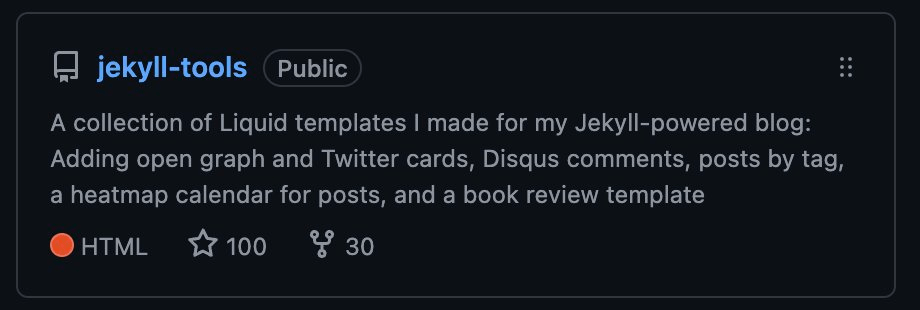
You can check it out over at the reading list page, or you can see the code over at my Jekyll Tools Github repository.
If you liked my book notes, donât worry. They arenât going anywhere. Iâm keeping the pages up for posterity, but Iâm not updating them any more.
-
What I’m Reading, Listening to, and Using – Spring 2019
IÃÂÃÂÃÂâÃÂÃÂÃÂÃÂÃÂÃÂÃÂÃÂve listened to, read, and used a lot more than what is on this list, but this stuff is what I recommend to others. If you want specific recommendations, shoot me an email!
Books
- The Starship and the Canoe is a dual biography of George Dyson and his father Freeman, theoretical physicist.
- Possible Minds – Great collection of essays on AI
- The New RightArchived Link by my friend Michael Malice. A breakdown of what is going on with the political right and where it came from.
- Fall; or, Dodge in Hell by Neal Stephenson, a lengthy novel on digital consciousness with another novel in the middle
- Carving out a Living on the Land by Emmet van Driesche – on building a small-scale sustainable business
- Keep Going by Austin Kleon – 10 ways to stay creative. Great addition to his other work
- Say Nothing: A True Story of Murder and Memory in Northern Ireland by Patrick Radden Keefe
- Lost Connections: Uncovering the Real Causes of Depression – and the Unexpected Solutions by Johann Hari
- When: The Scientific Secrets of Perfect Timing by Daniel H. Pink
- Idea Makers: Personal Perspectives on the Lives & Ideas of Some Notable People by Stephen Wolfram
- Luna: Moon Rising by Ian McDonald – Futuristic moon civilization in civil war
- Good Omens by Neil Gaiman and Terry Pratchett – I wanted to get to this before the Amazon series came out!
- Identifying and Harvesting Edible and Medicinal Plants in Wild (and Not So Wild) Places
- Discontent and its Civilizations: Dispatches from Lahore, New York, and LondonArchived Link – Short essays by Mohsin Hamid
Articles
- Kevin Kelly on Amish Hackers – Amish arenÃÂÃÂÃÂâÃÂÃÂÃÂÃÂÃÂÃÂÃÂÃÂt anti-technology, they just have long adoption curves and strict criteria
- Abigail Disney on growing up with more money than you can ever spend
- Status as a Service (StaaS)
- Job Title: ItÃÂÃÂÃÂâÃÂÃÂÃÂÃÂÃÂÃÂÃÂÃÂs Complicated
- Career advice I wish IÃÂÃÂÃÂâÃÂÃÂÃÂÃÂÃÂÃÂÃÂÃÂd been given when I was young
- Open gardens by Manton Reece
- Across the Border ÃÂÃÂÃÂâÃÂÃÂÃÂÃÂÃÂÃÂÃÂàSahil Lavingia
- GwernÃÂÃÂÃÂâÃÂÃÂÃÂÃÂÃÂÃÂÃÂÃÂs Dual N-Back FAQ
- CrashÃÂÃÂÃÂâÃÂÃÂÃÂÃÂÃÂÃÂÃÂÃÂs weekly report on building our business – Morgan von Gunten does a great job assembling this every weekArchived Link
- Meta-Learners – learning how to learn on Fast Forward Labs
- Suzanne PoliÃÂÃÂÃÂâÃÂÃÂÃÂÃÂÃÂÃÂÃÂÃÂs incredible photos of the LGBTQ marches from Stonewall to today – Not an article, but incredible nonetheless. These photos are a historical treasure.
- How Algorithms Know What YouÃÂÃÂÃÂâÃÂÃÂÃÂÃÂÃÂÃÂÃÂÃÂll Type Next
New Newsletters IÃÂÃÂÃÂâÃÂÃÂÃÂÃÂÃÂÃÂÃÂÃÂve Joined
DonÃÂÃÂÃÂâÃÂÃÂÃÂÃÂÃÂÃÂÃÂÃÂt call it a comeback. Newsletters have been here for years. Here are new oneÃÂÃÂÃÂâÃÂÃÂÃÂÃÂÃÂÃÂÃÂÃÂs IÃÂÃÂÃÂâÃÂÃÂÃÂÃÂÃÂÃÂÃÂÃÂve joined:
- The Art of Gig – Paid newsletter by Venkatesh Rao on indie consulting
- Jocelyn K. GleiÃÂÃÂÃÂâÃÂÃÂÃÂÃÂÃÂÃÂÃÂÃÂs Hurry Slowly newsletter
- Book Freak newsletterArchived Link – Weekly newsletter with advice from books
Podcasts
- Writing Online with John Gruber of Daring Fireball, Parts 1 and two at the Dialog Podcast. Daring Fireball is one of my favorite
- A bunch of episodes of Cool Tools, my new favorite podcast: Adam Savage, Joshua Bearman, George Dyson
- Crash Log PodcastArchived Link – Crash engineering teamÃÂÃÂÃÂâÃÂÃÂÃÂÃÂÃÂÃÂÃÂÃÂs podcast
- Becoming a Model Thinker with Scott Page on The Knowledge Project
- Neil Gaiman on Tim FerrissÃÂÃÂÃÂâÃÂÃÂÃÂÃÂÃÂÃÂÃÂÃÂs podcast
- The Numberphile Podcast – Great interviews with mathematicians by Brady Haran
- Margaret Atwood on Conversations with Tyler – We actually went to this live!
- Emily Wilson on her new Odyssey translation on Conversations with Tyler
- Emmet Audio – Emmet van DriescheÃÂÃÂÃÂâÃÂÃÂÃÂÃÂÃÂÃÂÃÂÃÂs daily show. Very short with good tidbits. Half spoon carving, half life.
New Tools
- MailDev – Intercepts outgoing emails during local development and put them in an web inbox on your locahost so you can test.
- ngrok – Secure public URLs to your local development environment. We are using it to catch webhooks from third party services while we test locally
- Story Grid – A method for writing fiction. IÃÂÃÂÃÂâÃÂÃÂÃÂÃÂÃÂÃÂÃÂÃÂm working through the book while I write something of my own
- CSS Grid Generator – Tool for generating CSS Grid code and learning problems with your own
- Studio NeatÃÂÃÂÃÂâÃÂÃÂÃÂÃÂÃÂÃÂÃÂÃÂs Tote Book, a great follow up to the Panobook
- Animated Knots – IÃÂÃÂÃÂâÃÂÃÂÃÂÃÂÃÂÃÂÃÂÃÂve been tying a lot more knots lately with my boat building. This is a very useful resource.
- Cape Falcon KayakÃÂÃÂÃÂâÃÂÃÂÃÂÃÂÃÂÃÂÃÂÃÂs video courses – This is what IÃÂÃÂÃÂâÃÂÃÂÃÂÃÂÃÂÃÂÃÂÃÂve been using to learn how to build my kayak and paddle
- Memos – An app that adds text search to your Photos library and allows you to copy it out of photos. Indespensible.
-
Adding Homebrew MySQL Service to your PATH
If you install mysql via Homebrew (
$ brew install mysql) and start it via Homebrew services ($ brew services start mysql), chances are that you’ll see an error when trying runmysql -u rooton the command line.If that error is
command not found: mysql, the issue is likely that you need to add the Homebrew mysql directory to your PATH.On my machine, Homebrew installed mysql here:
/usr/local/Cellar/mysql@5.7/5.7.25/To add this to your PATH, add this to your
.bash_profile(or.zhsrcif you use ZSH):export PATH=/usr/local/Cellar/mysql@5.7/5.7.25/bin:$PATHThen, reload your shell and type
mysql -u rootto confirm all is working.You can quit the mysql CLI via
mysql> q -
Getting around foreign key constraints when restoring a Craft CMS database
Are you getting foreign key constraint errors when trying to restore Craft CMS database backups? Here is how to solve it.
Every time I download a backup of a Craft 3 database and try to restore it to my local development environment, I get this error:
Cannot add foreign key constraintThis happens because the SQL dump has the data in a different order than it should be loaded in according to the foreign key constraints.
The solution is to use a MySQL session variable to turn off foreign key constraints and be able to load your data in the order it is currently in.
How?
WARNING: Do NOT even think of doing this in your production environment. Only development. You’ve been warned.
Open your .sql dump in your favorite text editor and put this line at the top:
SET FOREIGN_KEY_CHECKS = 0;Save it, then retry your import. Works for me every time.
I wrote this post so that I don’t have to search how to do it in six months when I need to do it again.
p.s. if you want to do something similar in postgres instead of mysql, search for
SET CONSTRAINTS ALL DEFERRED. -
How to Upgrade from PHP 5.6 to 7.2 for WordPress

Last week I updated three large WordPress sites for Praxis from PHP 5.6 to 7.2. Here is the process I used on all three to make it a smooth transition.
Note: I do contract work and can help you figure this upgrade out. Reach out if you are interested in getting a quote.
1. Figure out the scope of the problem.
First you need to know how much time you should plan to spend doing this work. A quick way to find the scope of the problem is to run the PHP Compatibility Checker plugin. It checks your themes and plugins, spitting out errors, warnings, and filenames/line numbers of the offending code so you know where to start.
- Small theme upgrades?
- Plugin updates?
- Massive refactoring of custom code?
Even if you get a 100% clean pass with the compatibility checker, I suggest going through the rest of my list. The compatibility checker isn’t perfect. You don’t want to roll those downtime dice. Fool me one time, and all that.
2. Test the upgrade locally.
Copy down your current theme and database into your local development environment. This is important. Don’t use the version you have from work you did a few months ago. Stuff changes on the server all the time. Pull down a copy to be safe. Configure your local environment to use PHP 7.2. If you are unsure whether or not you are on 7.2 locally, you can always use a WordPress plugin like Debug Info to check. Also make sure to turn on error reporting in your
php.ini.Don’t have a local development environment yet? I like Valet.
While you are at it, I suggest upgrading your WordPress core to the latest version (5.1.1 as of this writing) and updating all of your plugins. Rip that bandaid off. On the plus side, it will probably make the PHP upgrade process easier, too.
3. Find, diagnose, and solve any issues.
This is either the easiest or hardest step. If your site looks fine and everything functions as it should, great! You won the lottery.
It is probably worth double checking that you actually are on PHP 7.2 with the debug plugin mentioned above. Also worth clicking all around your site and checking everything. Sometimes most of the site will load, but you’ll get weird inline error messages like this:
Warning: Use of undefined constant Y - assumed ‘Y’ (this will throw an Error in a future version of PHP) in /nas/content/staging/creativecourse/wp-content/themes/business-pro-theme/page-archive.php on line 70If you navigate to the site locally and all you see is a sea of errors like I did on one site, you have some work cut out for you. Here are some tips:
- If the errors include
wp-includesorwp-adminin the file paths, you need to update your WordPress core. - If the errors include
wp-content/themes/in the file path, and you don’t have any custom work done on the site, the quickest fix is to upgrade your theme or find a new one. - If the errors include
wp-content/plugins/somepluginname/in the file path, find that plugin and disable it or update it and try again. You should still be able to get to your/wp-admin/dashboard even with a broken site because the most recent core works with PHP 7.2. - If your site includes a bunch of custom code and the errors are happening with the custom code, you have more work to do. If you are comfortable debugging and fixing it, great! If not, you might need to call the person or company who wrote it. Or decide if you can do without it. Hopefully you followed conventions and put it in a child theme.
Keep track of the changes you make. I keep a running list in my favorite notes app. Theme updates, core updates, plugin updates, and code changes. Write it all down. Better yet, version control it with git and commit along the way.
If you have any premium plugins that require activation keys, make sure that you contact the developer to get two extra development keys for local testing and production. Most will provide those to you at no extra cost. Some platforms give you 5 keys per purchase anyway just for this reason. I decided to roll the dice and not get keys for one plugin, and ended up crashing my production site with the upgrade because I didn’t test that plugin. Don’t be like me.
All three of my sites needed some work done, even the newest of the three. One didn’t load at all until I made some theme updates. One plugin crashed a site and had no updates available, so I had to do without. Some custom code I had written needed updates, too. It took me a few afternoons to sort it all out.
4. Deploy to a staging environment on PHP 7.2 first.
Once you have everything sorted out locally and you’ve triple tested everything, go ahead and push your work up to a staging environment. Good hosts like WPengine make having a production and staging environment easy. You can control the PHP versions independently. I use WPengine’s git deployment to move my local updates to the staging server. SFTP works, too. If you need database changes, you’ll also need to do a database migration. Core and plugin updates will need a database migration (Don’t forget to change the site URL or you won’t be able to log in!) If you need to do a database migration, use the instructions here
My preferred workflow is to copy the full production site (code + database) to staging, push my code changes, then do the core and plugin upgrades on the server (they often involve database changes), which is when my change list above comes in handy. I don’t like doing database migrations unless I absolutely have to, because with lots of users logging in to the site, data is bound to get out of sync with my local version in a matter of hours. Getting back in sync is tricky, so I choose to avoid the problem altogether by only moving code, keeping my change file, and replaying the steps on the staging server.
If you don’t have a staging environment and can’t get one with your host, or you can’t upgrade the PHP version yourself on your host, then you need a different plan. You’ll need to set up another site on another host that uses PHP 7.2, then put the updated copy of your site there. If you do this,proceed to the alternate #5 below.
Don’t assume everything works. Test it! Use different user account levels (admin, editor, author, contributor, and subscriber). Try every critical function on your site.
Only move on to the next step when you are certain everything works like it should.
5. Deploy to production.
Before you do anything else here, make a back up of your site and your database. Good hosts like WPengine make this easy. If you are doing this manually, verify the backups work locally. You can to be able to roll back if there is an issue.
I planned a maintenance window with my users a few days ahead of time. If you have users who rely on the site, you should, too.
Update your production environment to PHP 7.2, then copy the staging server to the production server. If you are confident that there were no users updating content in between the staging copy above and now, you can copy database and all. If there are changes you don’t want to lose on the production database, you’ll need to use my method and only copy over the theme code, then do core and theme updates on the production site. This is when planned downtime comes in handy.
Alternate deploy (no staging)
If you set up a separate site on 7.2 (not a staging environment of a production site) and it works, then you are ready to cut over to the new version. Configure that new site to use your domain (URL field on the setting page), then point your domain’s DNS records at the new server. If you need to do a database migration, use the instructions here.
6. Verify everything works
Don’t assume everything works. Test it! Use different user account levels (admin, editor, author, contributor, and subscriber). Try every critical function on your site. Use the Debug Info plugin to verify that the PHP change took.
If there are any issues, you might need to roll back to an earlier restore point and PHP version (or point your domain back to your other server), or do some real-time debugging. If your production and staging servers mirror each other in every way except PHP version, you shouldn’t run into anything unexpected. If you do, figure out where the difference is and go back to #3 above.
-
Photos Published in Newton Graphic Science Magazine

Newton Graphic Science Press in Japan published one of my photos twice in the past year. They found it via my Illum project on Flickr and requested permission to publish it.
Of course, I said yes.
Here are the spreads the sent me afterward:


The photo is from a high school physics contest held by the American Association of Physics Teachers where I won Second Place in 2008. Here is my original post from 2008 when I found out.
Now I’ve been published in Japan. Sweet. Remember to freely share your work. You never know who’ll end up seeing it and what opportunities might come your way.
-
Moving from Homestead to Valet for WordPress Development
I used to use Homestead for local WordPress and Craft development. It was nice because everything worked out of the box. Well, theoretically. In reality, it worked about 80% of the time, but 20% of the time I’d get cryptic errors from Vagrant like:
- Some box with the same name exists. We won’t tell you where, but trust us, it exists and that can’t happen.
- The SSH command responded with a non-zero exit status. Vagrant assumes that this means the command failed. The output for this command should be in the log above. Please read the output to determine what went wrong.
- Error! You have to destroy this box and rebuild it. Hope you backed up those local databases, because they are gone forever!
It was always a rabbit hole of headaches that could take half a day to resolve. Most resolution happened in the form of me destroying a box and rebuilding it, losing my databases. So much fun.
Today I got the SSH error again and had enough. I went looking for a better solution and found Valet. Their pitch:
Valet is a Laravel development environment for Mac minimalists. No Vagrant, no /etc/hosts file. You can even share your sites publicly using local tunnels.
Sounds great. It won’t eat my battery, RAM, CPU, or take gigs of disk space for vitual machines. Sign up the heck up.
It was super easy to set up with tools I already use: Homebrew and Composer. Instructions here.
The only tricky part was making composer directory available in my Mac’s PATH, since I’ve only ever used it inside individual projects. Turns out with
zshyou have to give the explicit path, you can’t just use~/, so I added this to my.zshrc:export PATH=/Users/cagrimmett/.composer/vendor/bin:$PATHOnce I loaded the profile with
source ~/.zshrc, I was good to go. I linked my main projects folder so Valet knows where to look for projects, changed mywp-config.phpfiles to point at my local mysql database instead of Homestead’s, then navigated toproject-folder-name.testand was good to go!Valet runs at startup, so I don’t have to run
cd ~/Homestead && vagrant upanymore, justbrew services start mysql@5.7if I need a database running (which you usually do for WordPress development.)I like that Valet makes it so easy to use different PHP versions. For example, to use 7.2, you go to your command line and type:
valet use php@7.2I’m looking forward to never using Vagrant or VirtualBox again. Peace out
-
Doing a Digital Declutter

I recently read Cal Newport’s Digital Minimalism. I was more or less convinced before I picked the book up that I’m wasting too much time on social media and my ability to focus is becoming fragmented. I read this to hear his solution to this issue: Ruthlessly cutting out digital tools that don’t bring you value.
I’d consider myself, in Newport’s parlance, a digital maximalist. I have accounts on every major platform, am an early-adopter of new digital platforms, social networks, and tools, and evangelize tools I find useful. My always connected.
While I generally love this, I’ve noticed that my ability to focus for long periods of time and to sit and observe without needing a distraction (my phone) has diminished significantly. This is a problem. I value my observation abilities and don’t want to lose them. I also have so many things I want to do: Blog posts to write, spoons to carve, places to explore, etc.
- How much am I missing by mindlessly scrolling through my phone?
- What could I be doing instead of scrolling?
- How much value am I getting from the scrolling anyway?
Following Newport’s advice for doing a digital declutter, I took stock of what I think is causing me the most harm: Mindless scrolling. Here’s where it shows most:
- Computer
- Hacker news
- Kottke
- Daring fireball
- Phone
- Slack
- Hacker news
- Kottke.org
- Daring Fireball
Only particular cycle that is bad for me is checking Slack, then my email, then Twitter, then Slack, then my email, then Twitter in an endless loop on my phone. I have no idea why I do this. Sometimes I’ll zone out and do this for 15 minutes straight without seeing anything new. Crazy.
I saw that my friend Chris Johnson is doing a digital declutter, so I decided to join him.
Here is my Digital Declutter plan for the next 30 days:
Removing Distractions
- Use Focus to block all social media on my Mac.
- Use 1Blocker and Screen Time to block all social media in Safari on my iOS devices.
- Remove the native social media apps from iOS and macOS.
- Reorder my home screen to be productive apps: Writing and journaling apps, workout apps, reading apps, weather, and train/subway schedule apps.
- Move work-related and email apps to a folder on the farthest-right screen. The idea is that I need to have them for the workday, but I need to take a deliberate action to get to them. This keeps me from doing the Slack > Email > Slack > Email cycle.
- Using the Downtime feature in Screen Time to block access to everything but writing and journaling, iMessage, and Phone between 8pm and 7am.
- Removing everything except writing, journaling, coding, and drawing apps from my iPad. Keep the iPad a dedicated device for creation and reflection.
- As much as possible, leave my phone on the bookshelf by my desk. This means it is out of my line of site while I’m at my desk, but if I get an important text message, I’ll hear it.
- Turn off notifications for everything except Slack, Voxer, and iMessage. The essentials I can’t miss. Pare down the notifications in Slack to just direct messages and @mentions. Channel posts can wait.
- I’ll monitor my pickups and phone usage with Screen Time.
Replacing with valuable activities
- Instead of scrolling through my phone immediately after I wake up, instead go work out first thing, then make my list of what I want to accomplish for the day.
- While at work, focus on work. Don’t take social media breaks. If I need a break, I can go for a walk or write.
- Spend my evenings cooking, writing, reading, and spending time with Amanda.
- Keep a running list of productive things I can do when I feel the urge to zone out and scroll:
- Write (cooking blog, journal, main blog, Crash blog)
- Carve
- Sharpen my carving knives
- Take photos
- Read
- Draw
- Go for a walk
- Listen to an audiobook and clean the house
- Find a new recipe for my Cooking the Books challenge
- Sleep
- Spending time with friends
- Exercise
You’ll probably still see my post my blog posts on social media, but I’ll be doing that through Buffer so I stay away from the feeds. I still want those readers, you know.
After 30 days I’ll reintroduce some things back into my life, but probably not all, and I’ll probably slim things down quite a bit. Probably some Instagram and Twitter, but restricted times. I’ll probably keep the main phone restrictions. We’ll see.
I’m looking forward to this. I want my attention, observation, and creativity back. And along the way, my happiness.
-
My Career Launch Story on the Career Crashers Podcast
https://crash.co/blog/career-crashers-podcast-episode-4/Archived Link
-
Productivity tip: Opening URLs from selected text all at once
I wanted to share a trick I use to save me a ton of time: Opening URLs from selected text in Safari tabs.
-
Setting up a New Mac from Scratch

My trusty 2013 MacBook Pro died over the weekend. Here is everything I installed and configured on my new machine to get it up to speed. Setting up a new machine from scratch is a great way to clear the cruft that inevitably builds up over time.
I’m sure I’ll find a few more things in the next month that I forgot, but this is ~95% complete.
- 1Password – Without this I wouldn’t be able to get in to anything. First app I installed.
- Dropbox – File transfer was going to take a while and I needed it for syncing data for other apps below.
- Setapp – One of the best purchases in the last few years. One subscription for tons of apps. Below is what I installed right away.
- Mosaic – window management
- Bartender – Hide all the shit in the menu bar
- Ulysses – My favorite writing app. Saves everything out to .txt files.
- Paste – Clipboard manager
- Sip – Color selection and organization
- CleanShot – screencapture
- Forecast Bar
- CleanMyMac
- InstaCal – Menu bar calendar app
- Squash – compression and optimization for web images
- Permute – Media converter
- TablePlus – GUI for MySQL, Postgres, and more.
- Drafts – I installed the Mac beta. All of my text starts here.
- Things – My current to-do list
- Soulver – Best Mac and iOS calculator
- Tweetbot – My fav third-party Twitter client
- Copay – Bitcoin wallet
- Pixelmator Pro – I’ve completely stopped using PhotoShop and use this instead.
- Trello – Project management. I prefer the desktop app to the web client because I like standalone apps.
- FruitJuice – Gotta keep your laptop battery healthy.
- Amphetamine – Keeps your Mac awake when it needs to do things like download your entire Dropbox. Better than Caffeine, the alternative.
- Slack
- DaisyDisk – Visualizes your disk space and helps you find giant files
- The Unarchiver – Installing a lot of new stuff means unzipping a lot of files. The Unarchiver is the best at it.
- Hazel – Automated organization. Renames files I download and stores them automatically, dumps the trash, organizes my desktop, etc.
- RescueTime – Time management software that I’ve used since 2010.
- Keybase – Security and identity
- Notion – Project management, documents, collaboration, publishing. Basically runs my work life.
- Zoom – Video conferencing
- Rocket – Slack-like Emoju picking for your entire OS
- TextExpander – Text snippets + AppleScript automation kickoff
- CarbonCopyCloner – I set up weekly drive clones to external harddrives. Saved my bacon multiple times. I didn’t lose a thing this time because I backed up the night before automatically.
- Backblaze – Offsite backup. Critical.
- WordPress – I like managing all of my sites from this single app.
- Adobe CreativeCloud – Primarily for Typekit
- Sketch
- Spotify
- Turbo Boost Switcher Pro – Toggles the Turbo Boost feature on your CPU for better battery life.
Chrome Extensions
- Zoom video conferencing – Changes all Google Hangouts links to Zoom links
- Wappalyzer – Figuring out what stacks other sites are using & figuring out whether or not things I install are actually activated
- DuckDuckGo – My default search engine
- Ghostery – Death to all tracking scripts
- Stayfocusd – Blocks social media during the workday
- What Have You Made Today? – My favorite new tab screen
- Larder – My bookmarking of choice
Development Tools
- VSCode
- iTerm2
- oh my zsh
- Powerline fonts – Meslo
- Agnoster theme
- Solarized Dark color
- Apple’s command line tools –
$ xcode-select --install - Homebrew
- nvm
- Node
- Ember
- Node
- Yarn
- Gulp
- Java
- Java Development Kit
- jEnv
- Cask
- Quicklook-json
- Hub
- Composer
- Ruby Gems (For managing this Jekyll site)
- Jekyll
- jekyll-sitemap
- jekyll-include-cache
- jekyll-archives
- s3_website
- nvm
- VMWare
- Vagrant
- Box: Laravel/homestead
- Dash – API documentation
Misc Settings and preferences I set
- Hot corners – Can’t live without them since 10.4
- Generated new SSH keys
defaults write com.apple.finder AppleShowAllFiles YES– Gotta see those hidden files- Apple’s enhanced dictation – The extra suite of dictation tools
- True Tone on
- Night Shift on
-
100 Ways to Work Out Loud
https://discoverpraxis.com/100-ways-to-work-out-loud/Archived Link
-
How I Approach Social Media
On a recent episode of Office Hours, a listener asked about the purpose of social media. Isaac and TK recommended taking a pragmatic approach. Here is my take on what that looks like.
How I approach social media in general
- Consumption and projection, not discussion – I find things people share and share my own work and things I find interesting, but I very rarely participate in discussions. Meaningful discussion is very difficult online, especially on social media. I prefer to take discussions to more direct, personal mediums like Messages, Slack, and Voxer. I prefer in-person when that is possible.
- Sparingly and intentionally – Iâm not a Waldenponder. I get a lot of value out of social media. But I donât recommend indiscriminately spending time on it, either. It is designed to keep you there so they can serve more ads to you. It is inherently manipulative. Some (like Twitter) are so full of negativity that youâll get worked up if you arenât careful. Photo-heavy services distort reality and have the unfortunate effect of making you feel like your life sucks. Social media is a dangerous place, so make sure you engage sparingly and intentionally. Know what you want to get out of it. Put blockers in place so you donât spend more time than you pre-determine is worth it for you. I recommend 1Blocker (Safari on macOS and iOS) and StayFocusd (Chrome). Remove the apps from your phone (best) or at least put in limits with iOS 12âs new Screentime feature.
- I prefer to replace social media time with reading and podcasts as much as possible.
- Whenever possible, post from a third-party service – Most of my Facebook and Twitter posts come from Buffer. This keeps me from having to log in or have the serviceâs apps on my phone.
Hereâs how I use the major social channels:
Facebook
I like Facebook less every week. I only hop on a few days a week now. The content there is mostly trash. I go on to keep up with friends from high school and college, as well as family. I rarely comment and I almost never engage in a discussion there. It isnât as toxic as Twitter because you generally have closer ties with someone involved in the thread on Facebook, but it is still usually bad.
I think people waste too much time on Facebook unintentionally and would do well to delete the apps from their phones and only check it from one specific device that you use only as a secondary or tertiary device. For me that is my iPad. I keep Facebook blocked on my computer and my phone to reign in my unintentional time wasting.
Twitter
Twitter is my second favorite social service to browse. It is where I get a lot of recommendations, find out about new apps, and get my news. I donât read traditional news outlets unless I find an interesting story linked on Twitter or a blog I read (see below).
I curate who I follow pretty regularly, so I have a pretty good âcontent to garbageâ ratio, or at least one Iâm willing to tolerate enough to check out during breakfast and lunch.
Mastodon
I still want something like Mastodon to take off, but I havenât found any communities that are active enough to invest in. I prefer using the internet as a place to consume (find recommendations, keep up with what friends and family are doing, learn new things) and project (write and share my own stuff), but not converse. Most of the internet is a terrible place for conversing. It just isnât set up for that. Perhaps Mastodon can fill that gap if I find the right community?
Iâm trying out https://refactorcamp.orgArchived Link right now and having a pretty high hit rate of good content. Still not great for discussion, though.
If you have any Mastodon communities you recommend, Iâd love to hear about them.
Instagram
Iâm photographer. I love posting to Instagram. It is probably my favorite social service to browse, too. So much good stuff in my feed! That said, it is the one Iâm most likely to waste too much time on because I like it so much. So I delete it from my phone most of the time and only download it when I want to post to it, keep it around for a few days with 15 minute time limits set with Screentime, then delete it until I want to post again.
Reddit
Oh, Reddit. I want to love you, but I canât. The comments are so toxic, even in decent subreddit communities. Every subreddit I start getting involved in inevitably devolves to inside jokes, gatekeeping, and beginners asking the same question covered hundreds of times. (On the Kombucha sub, it is always âis my scoby okay?!?!). It gets tiring.
I love reading AMAs, but I never get there in time to ask a question. And when I did ask questions in AMAs a few times, I got banned for asking for a month because I asked the same question each time: What are you reading right now? Apparently that isnât allowed.
Also, the search is completely terrible. There is probably tons of useful stuff locked away in threads that no one can find, forever lost to the ether.
Iâm over Reddit. My RescueTime stats show that I visit the site less and less each year.
Pinterest
I donât use Pinterest. I canât reliably find anything in that awful sea of ubiquitous images. You have to sift through a pile of garbage to find one useful thing. I prefer to avoid the whole mess in favor of other services. I use http://Are.na as a personal pinboard.
YouTube
I only watch YouTube videos I find embedded elsewhere or that someone sends me. I canât remember the last time I went directly to YouTube.com to just see what was happening. I donât like the video medium unless Iâm trying to learn something, and I tend to find those videos through search engines. I donât watch YouTube videos recreationally.
Likewise
This is too small right now to be super useful, but Iâm hopeful for it. A service dedicated to book, show, and restaurant recommendations. Requests for this sort of thing on regular social media tend to get lost in the sea of other garbage and algorithmic timelines, so people often donât respond until days later. Likewise keeps these asks front-and-center. You should join me on Likewise! https://likewise.com/invitedby/5bbe223985965466d44255eb
Hacker News
Great tech news source. I donât participate in the comments/community there. Iâll often click through to the comments section to get a tl;dr of the article or get hot takes on current events. I find a lot of products and tools here that I bookmark and end up using or recommending later.
Product Hunt
There was a period where I checked Product Hunt daily and found a lot of cool stuff there. Now I check it maybe once a week and only find a fraction of the cool stuff I once found there.
LinkedIn
I hate it. I refused to be on it for years. I have a profile now to set a good example for Praxis participants, and I may even cross post one of my articles there, but I get very little value from the service.
Quora
I went through a phase where I answered questions on Quora, but I got bored by it pretty quickly. I didnât invest enough to get over the hump and get a large return, so it just felt like I was wasting my time. Plus, there are so many shitty answers on there by people who just spend all day answering questions they only know a little bit about. Costless question asking and costless answering lead to a pretty low quality of content. The early days were cool because it was costlier to be in a small community like that instead of elsewhere. But now it sucks.
Stack Overflow
Iâve never asked a question on SO, but I sure am glad it exists. Iâve had dozens, maybe hundreds, of questions answered by previously existing questions there. I have chipped in and answered some questions there, but I donât make a regular habit of it.
Where else do I get media?
- Blogs – marginalrevolution.com – kottke.org – daringfireball.net – macstories.net – ribbonfarm.com – complete-review.com/saloon – stratechery.com
- lesswrong.com
- seriouseats.com
- Podcasts – Conversations with Tyler – Data Stories – Design Matters – The Knowledge Project – Longform – Mac Power Users – The Memory Palace – Presentable – Recode Decode – The Speakeasy – The Talk Show – Waking Up – Cortex – Hello Internet – Thoroughly Considered – Planet Money – This American Life – Office Hours – Serial – Accidental Tech Podcast
- Newspapers and magazines – I donât read newspapers often, but I occasionally like to pick up a NYTimes or WSJ on the weekend and spend an hour going through it. – I like reading the short fiction in The Atlantic and The New Yorker. We donât subscribe to them anymore, but Iâll pick one up at the news stand in Grand Central occasionally. – I read Lucky Peach for a few years until they shut it down. I loved it. Iâm looking for a replacement. Any recommendations?
- Newsletters – Breaking Smart – Ryan Holidayâs Reading List – Studio Neat Gazette – MacStories Weekly – Tim Ferrissâs 5-Bullet Friday
-
What work/life balance means to me

I have a certain capacity for creative output. That level may increase or decrease over time, but it stays relatively constant day-to-day.
You can think of this capacity as tokens that I have available to spend each day. I can either spend these tokens at my full-time job, at a side gig, or on a personal project.
I feel most balanced when I use 80% of my creative capacity at my full-time job and 20% elsewhere.
When I use 100% of my capacity at my full-time job for an extended period of time (say 2 weeks or more), I feel unbalanced. My overall creative capacity starts to decline. Some might call this feeling burned out.
When I use more than 20% on personal projects or side gigs (i.e. less than 80% at work) for more than two days in a row, I feel unbalanced, like I’m neglecting my work responsibilities. Like I’m falling behind and my output isn’t up to par.
I’ve never taken complete breaks from creating things. The manifestation just tends to shift. On vacations I tend to pick up photography and journaling to fill the creative gap. Sometimes drawing. During the holidays I tend to make more elaborate meals and try making new cocktails.
I’ve also never shifted 100% of my capacity into personal projects for an extended period. I haven’t been unemployed for more than a week in the past 7 years. Vacations are breaks from personal projects as much as traditional work, so that is why the output tends to shift to photography, journaling, and drawing.
I routinely go 3-4 weeks at a time at a 95/5 split on work/personal. Those times my personal creative output tends to be listening notes from podcasts and cooking. Days during high work periods where I manage to put out a longer blog post, I’m almost certainly eating leftovers or takeout. (Tonight, for instance: 3 blog posts plus curating a bunch of book recommendations on Likewise and I ate leftover soup for lunch and made a taco salad from leftovers in the fridge for dinner.)
I radically cut down the amount of side gigs I take on in order to prioritize personal projects. In fact, I have no side gigs going on at the moment.
What would my creative output look like when focused 100% on the personal side? I haven’t experienced that since high school and college, but the photography projects I focused on during those periods still rank among what I consider my best. Even periods where I’ve shifted to a 20/80 split on work/personal resulted in projects I’m proud of and look upon fondly.
In the next few years, I’d like to take a complete month away from full-time work and focus on personal projects for the entire time. Deliberately throw myself out of balance in a way I’m not used to and see what I create.
-
On Creative Blocks
Creative people commonly lament about being “blocked,” perpetually stuck and unable to produce work when necessary. Blocks spring from the imbalanced relationship of How and Why: either we have an idea, but lack the skills to execute; or we have skills, but lack a message, idea, or purpose for the work. The most despised and common examples of creative block are the latter, because the solution to a lack of purpose is so elusive. If we are short on skill, the answer is to practice and seek outside guidance from those more able until we improve. But when we are left without something to say, we have no choice but to either go for a walk or continue suffering in front of a blank page. Often in situations like these, we seek relief in the work of others; we look for solace in creations that seem to have both high craft and resounding purpose, because they remind us that there is a way out of the cul-de-sac we have driven into by mistake. We can, by dissecting these pieces, begin to see what gives the work of others their vitality, and better understand the inner methods of what we produce ourselves. If we are attentive, with just a dash of luck, we may even discover where the soul of our own work lies by having it mirrored back to us in the work of others.
But we must be careful not to gaze too long, lest we give up too much of ourselves. Forfeiting our perspective squanders the opportunity to let the work take its own special form and wastes our chance to leave our fingerprints on it. We must remember Why we are working, because craft needs objectives, effort needs purpose, and we need an outlet for our song. If we stay on the surface and do not dig deep by asking Why, we’re not truly designing.
-
Jerry Saltz on The Longform Podcast
Podcast: http://longform.org/posts/longform-podcast-311-jerry-saltz
Notes:
- This was a breath of fresh air for me. Saltz didn’t start writing until he was in his 40s. Now he is one of NYC’s top art critics, if not one of the world’s top art critics.
- Saltz’s thoughts on being nice to gallery staff, always signing the book, and the need for ushering in a new generation of artists, gallery owners, and critics made me think about what it takes to start the next generation in any well-established field.
- Real criticism needs both praise and critique, but must be completely free from cynicism.
- Saltz’s art criticism is a breath of fresh air. It is free from the nonsense jargon and faux deep meaning/symbolism that made me think art writing isnt for me. His writing is approachable and I finish his articles having learned something.
- His openness about his background and current financial situation is was eye-opening, too. Real people can become art critics and use that as a means to make a living, not just rich people with too much time on their hands.
- His instagram is a great way to find up and coming artists.
- I’ve added his weekly column to the list of things I read each week.
-
Notes on Office Hours: Debate and Unmotivated Friends
1: The Value of Debate, Is Self-Improvement Overrated, and Dealing with Haters
Notes:
- The question: Is debate valuable?
- I side with TK here on the value of debate. Most debates suck, but there is some value in the format if done well. The Sam Harris/Jordan Peterson debate is a great example of this. There were able to map out where they agree and find the boundary along which they disagree, which helps both of them better understand the other and helps the audience decide the correct arguments for themselves. That would have been impossible with separate lectures.
- Debates done well should look more like a spirited but respectful conversation between friends. Not just signaling for crowds.
2: What to Ask In a Job Interview & Is It Worth it to Help Unmotivated Friends
Notes:
- The question: How do you deal with friends who have ideas but never take action on them?
- I think the best way to deal with friends like this is to take their claims seriously. They may be signaling other values with their actions, but if we take their claims seriously, we give them the opportunity to confront their reality, which can take two forms: 1) Take their own claims seriously and take actions necessary to make them a reality or 2) Put those claims to rest and embrace others that align with their true values.
- A few ways to do this are to show them paths to get to where they want, talk through their ideas with them, show examples of others doing similar things, and encourage them to take the first step. Perhaps even taking the first step with them.
- I don’t think you must do this, but I do think you have the responsibility to do this if you’ve confronted the question of whether or not to do it. You are free to reject the responsibility, but taking hold of that responsibility is an opportunity to strengthen your friendship and help someone change their life in a positive way.
- A few ways this has helped me when others took this approach:
-
- Cook Like Chuck was born out of encouragement and help taking the first step by my best friend. I tossed around the idea for about a year, until one night he said, “You should take photos of this and it can be the first recipe.” Then an hour later he said, “Let’s buy the domain. What do you want to call it? I think Cook Like Chuck would be a great name.” – At the end of that night I had the skeleton of the site set up and half of the first post written. Without that catalyst it would have taken me another year to get to that stage.
- Back in college, I wanted to blog more, but wasn’t consistent about it. My suite mate started a 365 day photo challenge on his own blog a few months earlier, so he encouraged me to join in starting Jan 1, which was a few weeks away. He talked me through how he makes time, how it strengthened his photography skills, and how people naturally started following his site. That put me over the edge and put me into a situation where I grew dramatically through that year-long challenge.
- You could argue that I might have done these things anyway, but I’m grateful to those friends and I greatly appreciated the marginal push that got me past the hang up. I want to do the same for my friends. Not in an annoying or judging way, but in an encouraging way.
-
Series are eclipsing movies
Cameron Sorsby asked the Praxis staff today what our top 3-5 favorite movies are, off the top of our heads. I came up with 3 easily, but none were recent. Then I realized that no movie I’ve watched for the first time in the last four years is memorable. Series are getting so much better and eclipsing movies since they are free from networks and ad breaks.
What will the next leap forward for movies look like? Netflix/Amazon Prime hasn’t changed much for that format. What’s next?
-
Not Unreasonable Podcast interview with Tyler Cowen
Podcast: https://www.buzzsprout.com/126848/814311
Notes
- I enjoyed hearing Tyler Cowen speak about his new book from Stripe Press, Stubborn Attachments, which I preordered a while back.
- I admire Cowen aligning his actions to his beliefs and optimizing his life with things that bring him joy, including constant learning.
- The number of times they used the word “Straussian” got on the annoying end of the spectrum
- Writing for different audiences in different lengths and styles is a great way to make sure you understand a subject.
- The interviewer did very little naval gazing/meta commentary on the interview, which is one reason I liked this episode much more than Cowen’s episode on The Knowledge Project podcast.
-
Legends & Losers 212: Mike Maples, Jr.
Podcast:
Notes:
- Networks need rules from the beginning. Imposing after (like Twitter) is a mess.
- You need a sense of purpose other than growth, or else you’ll build things that addict people. Addicted people without a sense of purpose lead to fake news, spam, and vitriol.
- We do have an inequality issue in the world right now, but it is probably not wealth (outcome-based) inequality, but rather opportunity inequality. Some people have more opportunities than others. Race, social status, gender, and other things play into this. Fixing the opportunity inequality issue will go a lot further to raising income and wealth for everyone than redistribution.
- It is time to start a media company that focuses on something specific. Don’t go the HuffPo model of no rudder, ad-based. Go the Stratechery model of focused on a single topic, direct pay model. Most media sucks right now. Lots of opportunity.
-
Praxis Daily – Happiness Requires Action
Happiness isn’t our natural state, and that is okay. You just have to take deliberate steps to get there.
-
Praxis Daily Video – Compound effects on your career (Part 1)
Why you need to stick it out in one position for two years.
-
Compound Your Career Opportunities
Ways to build your personal brand, featuring examples from the Praxis community.
https://discoverpraxis.com/compound-career-opportunities/Archived Link
-
Praxis Daily – Building a Personal Brand
Ways to build your personal brand, featuring examples from the Praxis community.